☁️ Deploy your own

✨ Features
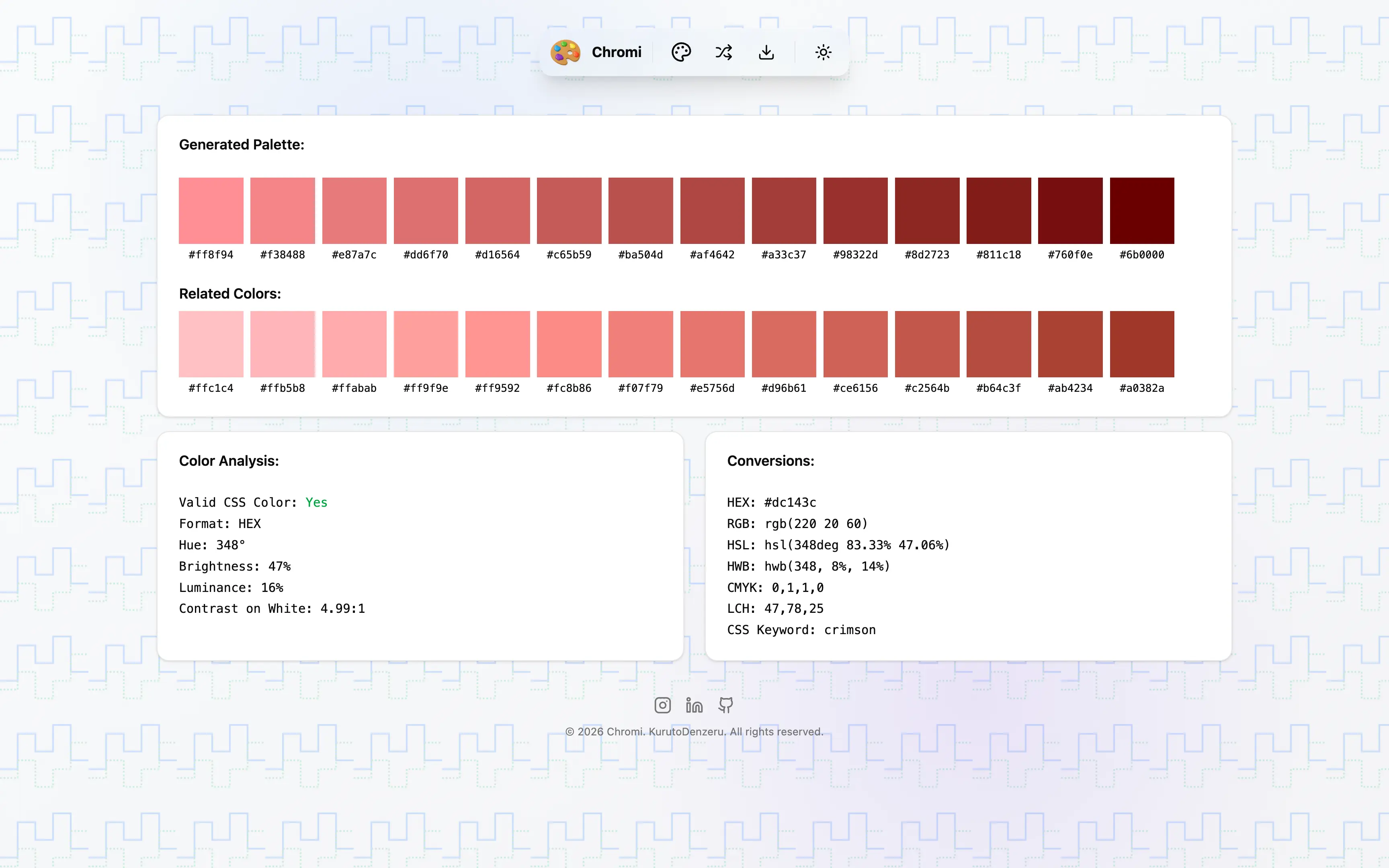
- Multi-Mode Palette Generation: Generate color palettes using analogous, monochrome, split-complementary, complementary, triadic, compound, shades, tetradic, and square color theories.
- Random & Customizable Generation: Create random palettes, choose custom color counts, and instantly refresh to explore new combinations.
- Format Conversions: Convert colors between HEX, RGB, HSL, HWB, and other formats seamlessly with real-time updates.
- Color Analysis & Properties: Analyze hue, brightness, luminance, saturation, contrast, and other color metrics in-depth.
- Export & Share: Export palettes with image and code-ready formats and copy values to the clipboard with instant toast feedback.
- Theme Support: Built-in theme switching for light/dark modes and responsive UI controls for modern workflows.
- Accessible, Mobile-First Design: Keyboard-friendly controls, responsive layout, and accessible component patterns powered by shadcn/ui.
🧱 Tech Stack
- Nuxt 4 + Vue 3 + TypeScript: Modern meta-framework for fast, full-stack development.
- Tailwind: Utility-first CSS framework for rapid, responsive styling.
- Shadcn Vue + Radix Vue: Headless UI components and design patterns.
- Pinia: Lightweight, intuitive state management for Vue 3.
- chroma-js: Powerful color manipulation and analysis library.
- VueUse: Collection of essential Vue composition utilities.
⚡ Getting Started
Clone the repo, install deps, and boot the dev server:
git clone https://github.com/KurutoDenzeru/Chromi.git
cd Chromi
bun install
bun run dev
Open http://localhost:3000 to view the app.
📦 Build for Production
bun run build
bun start
🗂️ Configuration
The editor is componentized under app/components. Key areas to customize are:
app/
  components/
    AppNavbar.vue                       # top navigation bar component
    AppHero.vue                         # landing section and hero content
    AppFooter.vue                       # site footer with links and attribution
    ColorPicker.vue                     # color input and selection UI
    PaletteDisplay.vue                  # palette grid and swatch rendering
    PaletteControls.vue                 # palette generation and customization controls
    ExportPaletteDialog.vue             # export dialog for saving palette assets
    ThemeSwitcher.vue                   # light/dark theme toggle
    palette/
      PaletteColorAnalysisPanel.vue     # color property analysis display
      PaletteColorConversionsPanel.vue  # format conversion display panel
      PaletteHueWheel.vue               # interactive hue wheel component
      PaletteLeftSidebar.vue            # left sidebar with controls
      PaletteRightSidebar.vue           # right sidebar with palette details
      PaletteSelectionPanel.vue         # palette selection and preview
    ui/                                 # shadcn/ui design primitives and component wrappers
  composables/
    palette/
      usePalette.ts                     # palette generation logic
      usePaletteStore.ts                # Pinia store for palette state
      useColorAnalysis.ts               # color analysis helpers
      useColorConversions.ts            # color format conversion helpers
  pages/
    index.vue                           # home page route
  types/
    palette.ts                          # palette-related TypeScript types
🤝🏻 Contributing
Contributions are always welcome, whether you’re fixing bugs, improving docs, or shipping new features that make the project better for everyone.
Check out Contributing.md to learn how to get started and follow the recommended workflow.
⚖️ License
This project is released under the MIT License, giving you the freedom to use, modify, and distribute the code with minimal restrictions.
For the full legal text, see the MIT file.